COMMON SEARCHES
POPULAR PAGES
RESOURCES
Online Tools and Resources
How to Enroll or Update Your EFT Information in Availity
June 5, 2025
How to enroll, update, or cancel EFT in Availity
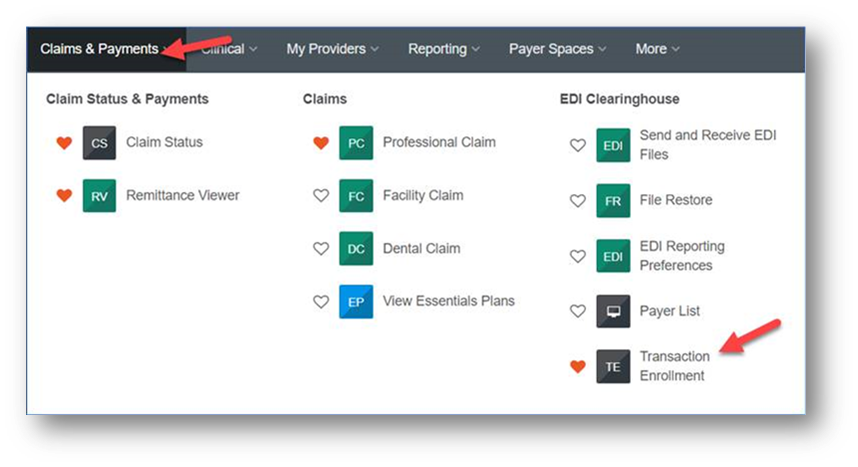
- Sign in to Availity and select the Claims Status & Payments and then Transaction Enrollment to enroll, update, or cancel EFT.
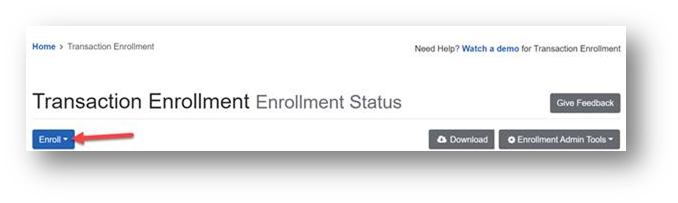
2. Click the blue “Enroll” button to start the process.
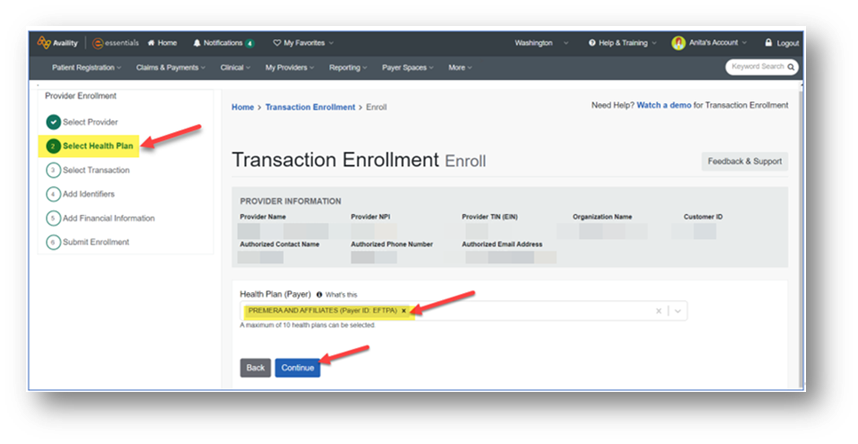
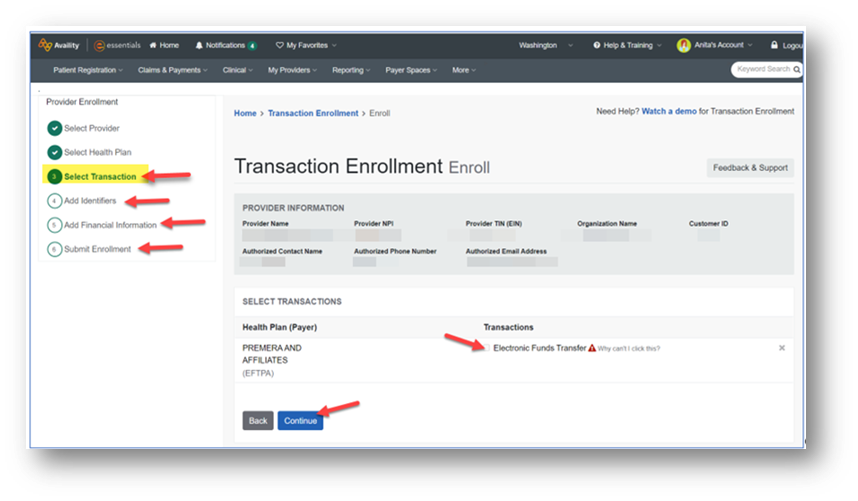
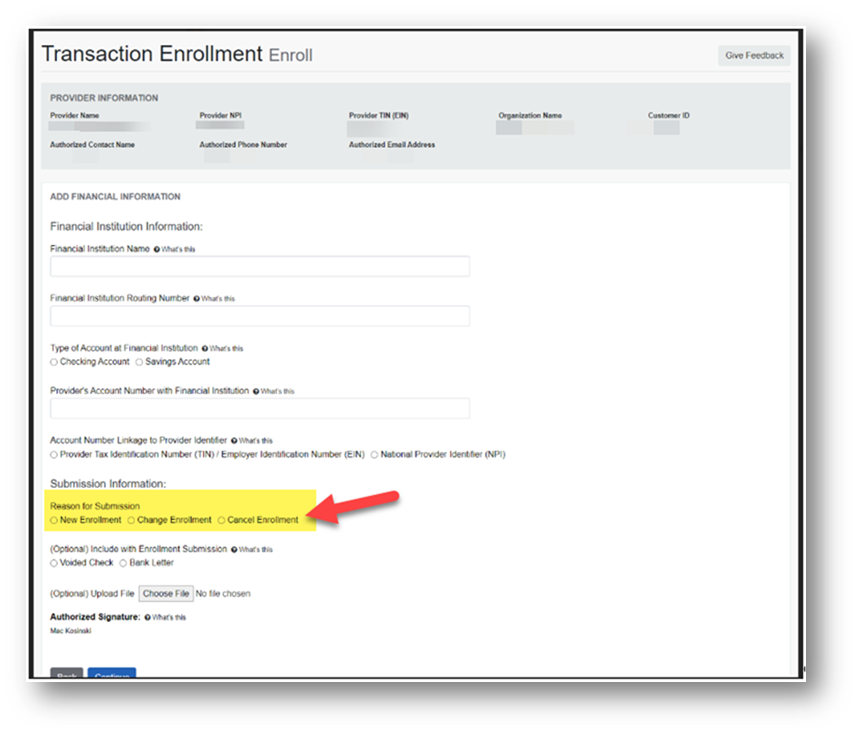
- Follow the guided process steps 1– 6 to complete the request. Below are some helpful screenshots to assist you through the process. Note for step 5: Make your selection for a New Enrollment, Change Enrollment, or Cancel Enrollment.
For more information